
Word cards, active recall, and spaced repetition
Recognizing a word when its definition is sitting right next to it is passive recognition—not active memory. Mocavoca structures every study session around single-screen encoding, three-way active recall, and cross-day spaced repetition so words hold up in real reading, listening, and writing.
1. Understand the word on one screen
When a new word appears, Mocavoca places five memory cues on a single screen so your attention isn’t split across front-and-back card flips:
- Original watercolor scene: Anchors abstract nuance in a concrete visual scene (such as Sora the Russian Blue perched high on a bookshelf to illustrate
aloof; see Learn Words in Sentences). - Dual-source phonetics & audio: Tap the speaker icon anytime to hear clear pronunciation and connect sound to spelling.
- Focused part of speech & definition: Highlights the high-frequency meaning you actually need rather than a wall of dictionary senses.
- Complete example sentence: Shows natural collocations, prepositions, and tone in context.
- “Already know” fast-track: If you already know a word cold, mark it as familiar on the card. Mocavoca skips the introductory drills and schedules a verification check in 3 days (
+3d) to confirm long-term retention.
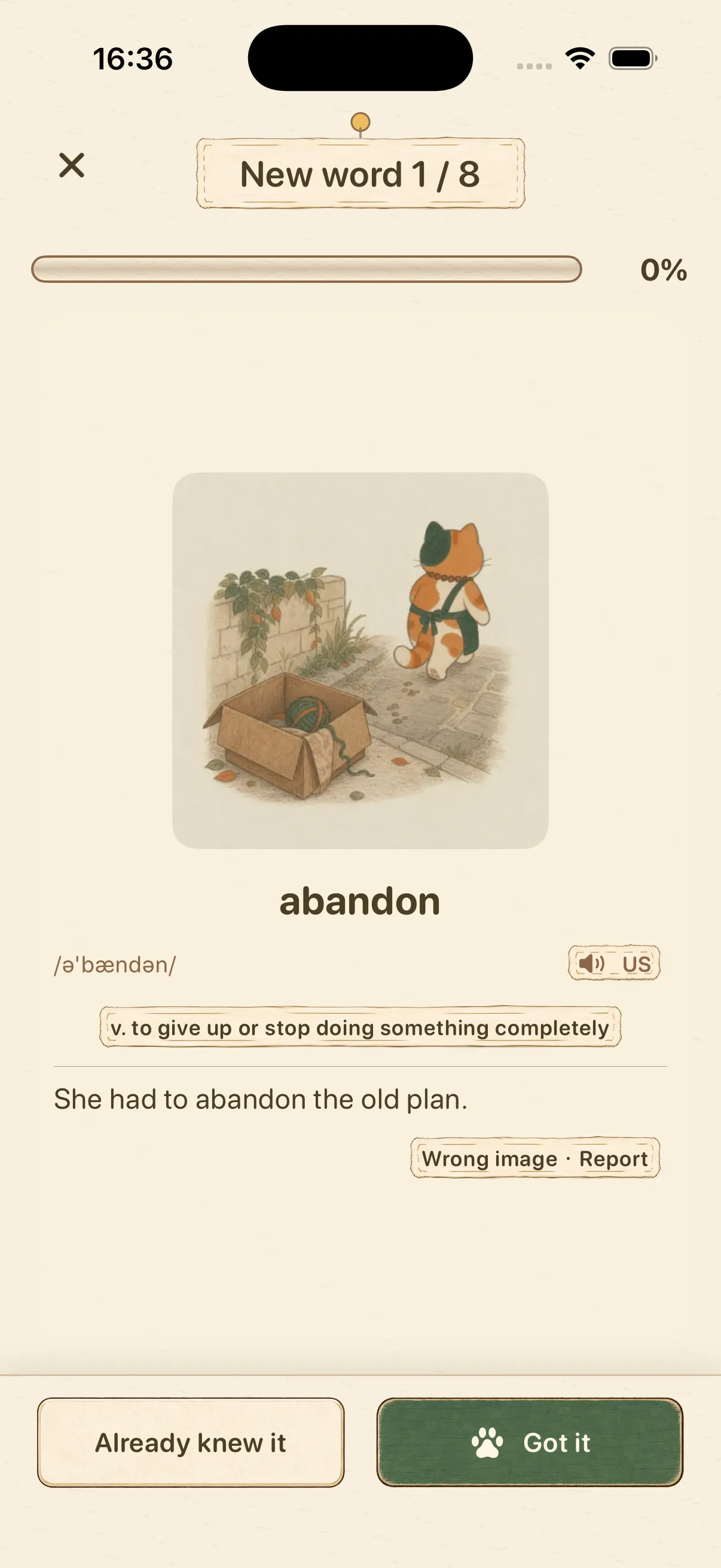 Every new word presents its watercolor illustration, pronunciation, definition, and example sentence together on one screen.
2. Four-word micro-batches & three-way active recall
New words are taught in focused 4-word micro-batches. After viewing the cards, you are tested across three distinct retrieval channels:
| Retrieval Channel | How It Works | What Problem It Solves |
|---|---|---|
Semantic recall (meaning) |
Match the word to its meaning or choose the right word for the context | Eliminates slow reading comprehension and confusion between near-synonyms |
Auditory recall (listening) |
The written word is hidden; identify the word from spoken audio alone | Fixes “eye-familiar, ear-deaf” vocabulary that trips you up in listening sections and conversation |
Orthographic production (spelling) |
Reconstruct the exact letter sequence from meaning and audio (with optional first-letter or syllable hints) | Fixes tip-of-the-tongue spelling slips on doubled consonants and unstressed vowels |
3. The 1 → 3 → 7 → 14 → 30-day review ladder & four guardrails
To make sure every promotion reflects real long-term memory rather than short-term cramming, the review engine enforces four rules:
- Five-step interval ladder (
1 → 3 → 7 → 14 → 30 days): After initial learning, a word returns for core review 1 day later. Each unhinted cross-day success advances the word to 3, 7, 14, and 30 days, reaching Mastered status at the 30-day step. - Cross-day promotion lock (≥ 24 hours): A word only advances to the next interval when answered correctly without hints on a new study day (at least 24 hours after its previous review). Extra same-day practice reinforces memory without skipping intervals or farming duplicate coins.
- Mandatory spacing after mistakes or hints (≥ 2 intervening items): If you miss a review or reveal a spelling hint, Mocavoca never lets you tap the answer back-to-back. It inserts at least 2 questions from other words before re-testing the missed word, and resets its interval to
+1 day. - Daily review cap (no review avalanches): If you take a few days off for travel or exams, overdue words are fed back into Today’s Plan within your daily cap—never dumped on you as a 300-card backlog.
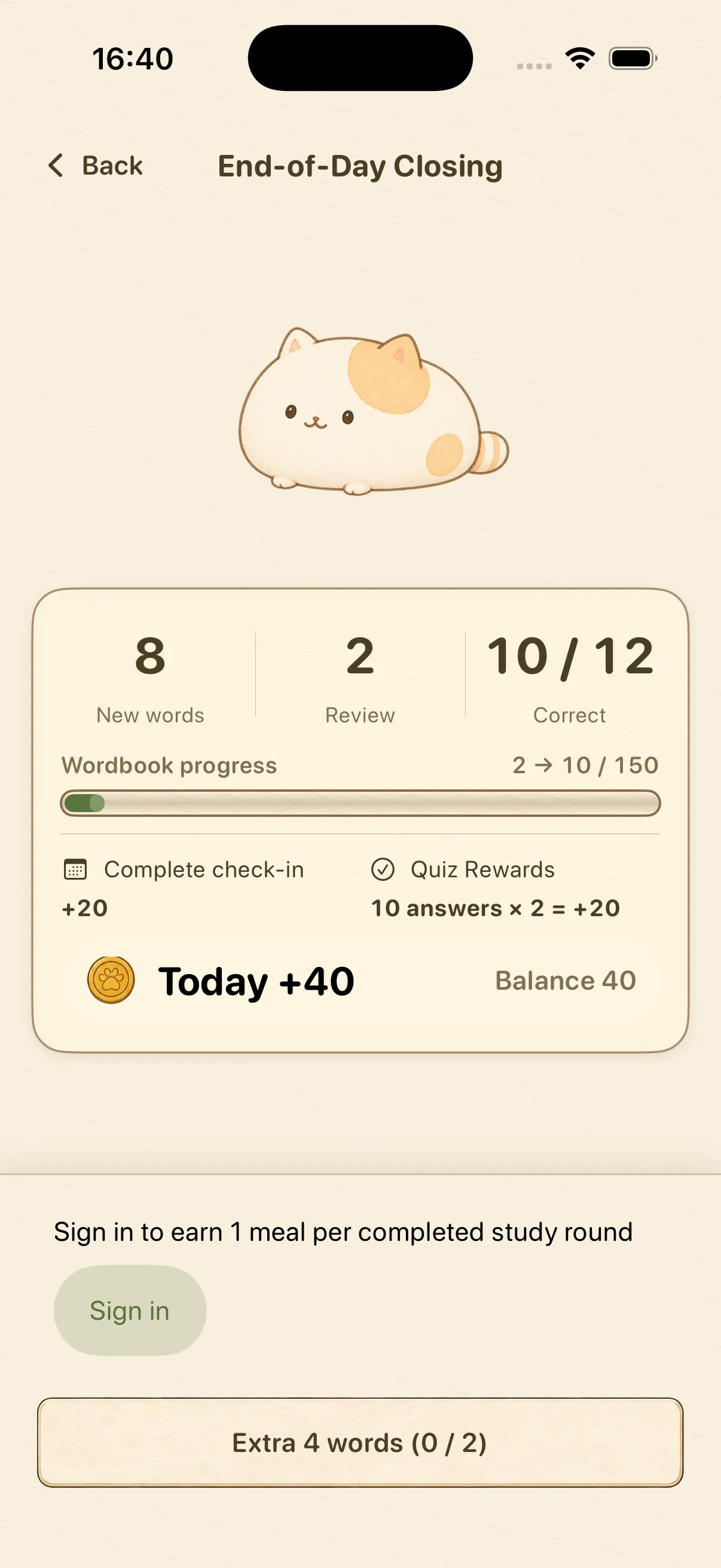 At the end of Today’s Plan, the results screen summarizes your new words, review accuracy, wordbook progress, and coins earned.
4. Inspect and adjust your wordbook records anytime
In the Records tab, every word in your current wordbook is organized into four transparent states:
- Not started: Words waiting in the deck queue;
- Learning: Words actively moving through the
1 → 3 → 7 → 14-day ladder; - Mastered: Words that have completed the 30-day spaced repetition ladder;
- Mistake: Words recently missed in meaning, listening, or spelling that need extra attention.
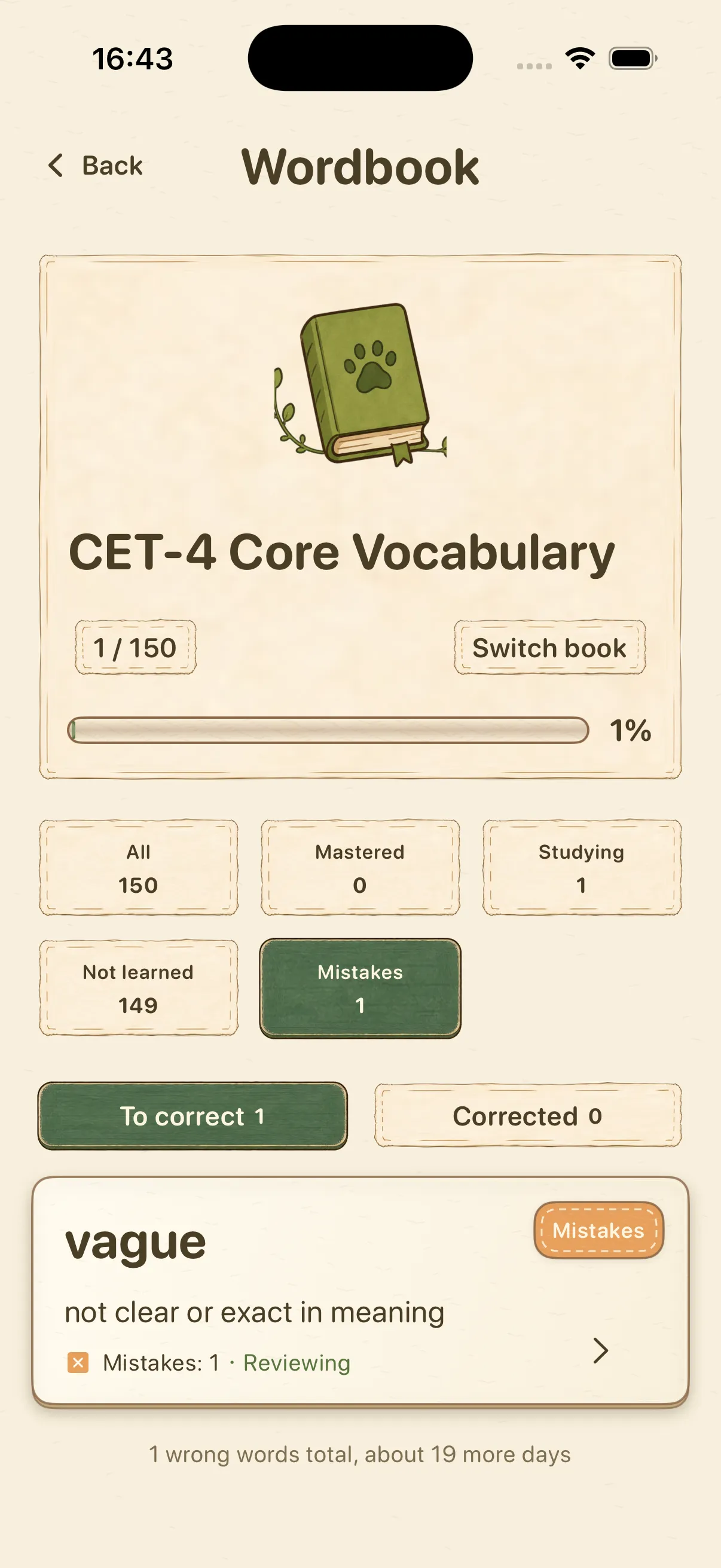 Filter any wordbook by status and manually change a word’s status if you marked it familiar by mistake.